How to edit your website
-> Step 1. Login to your admin dashboard with specific credentials
-> Step 2. Go to "Visit site"

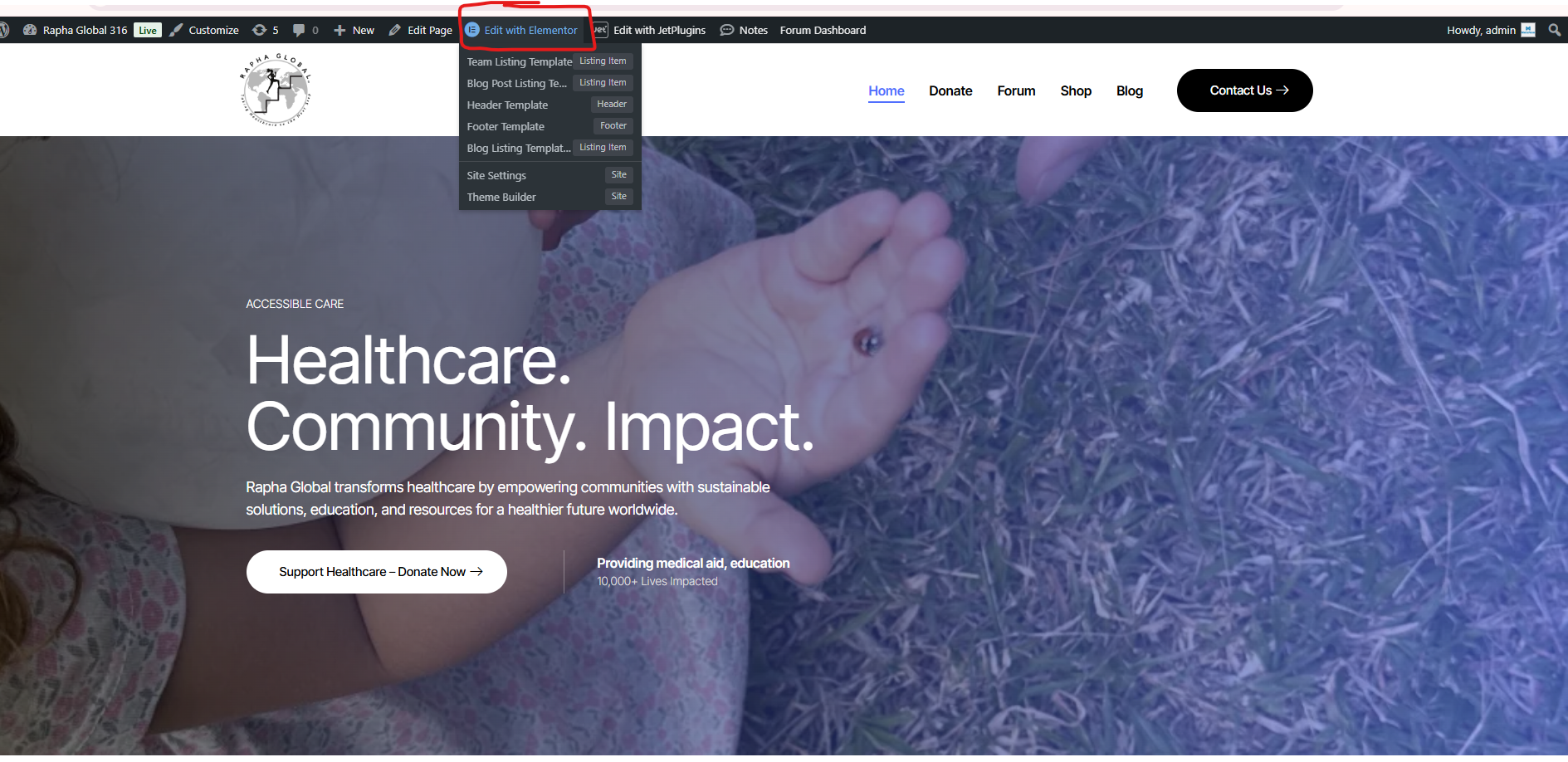
-> Step 3. Click on "Edit with Elementor"
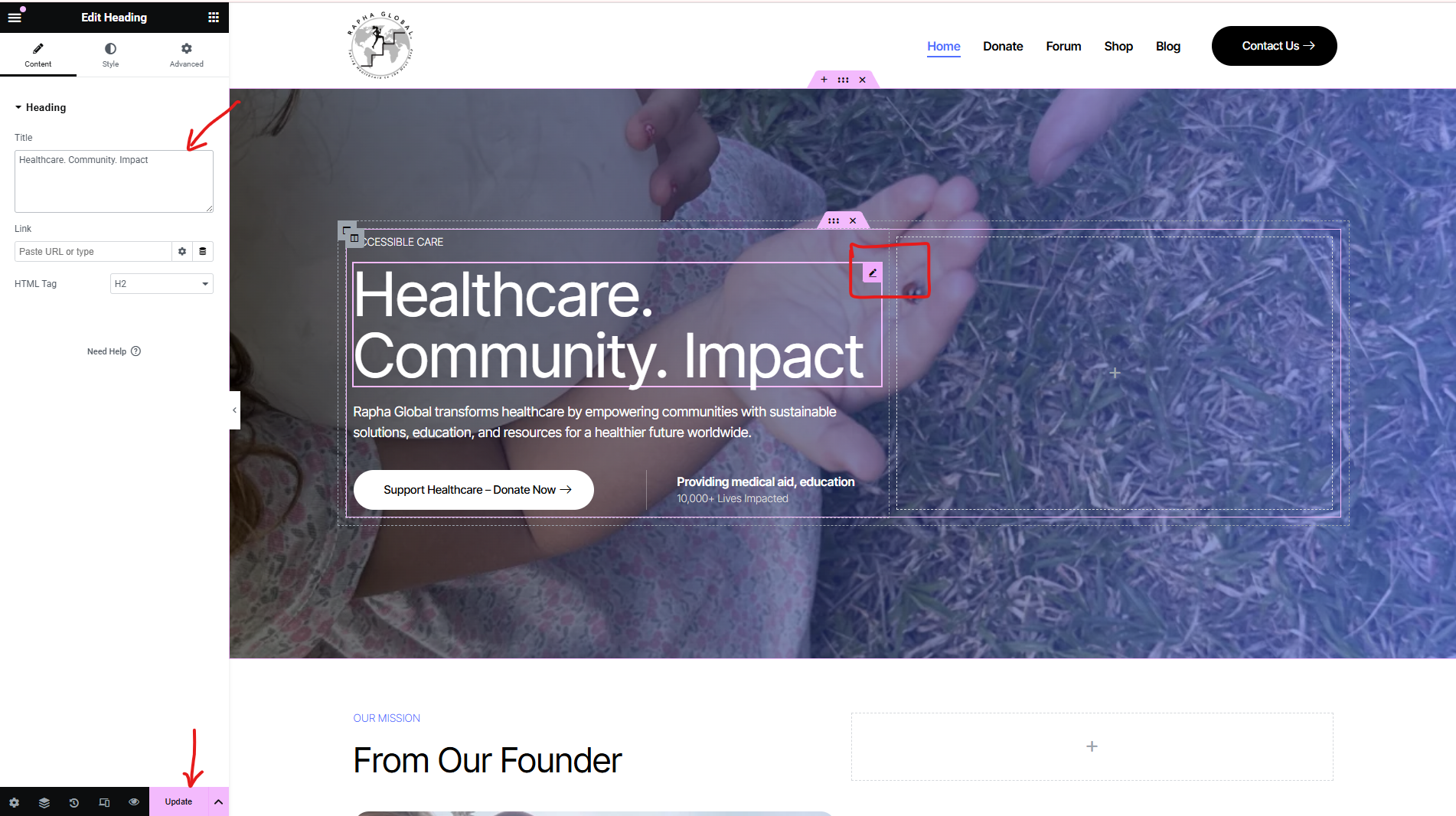
-> Step 4. To edit Headings, click on the little pen icon, change the text on the left, and then click "Update"
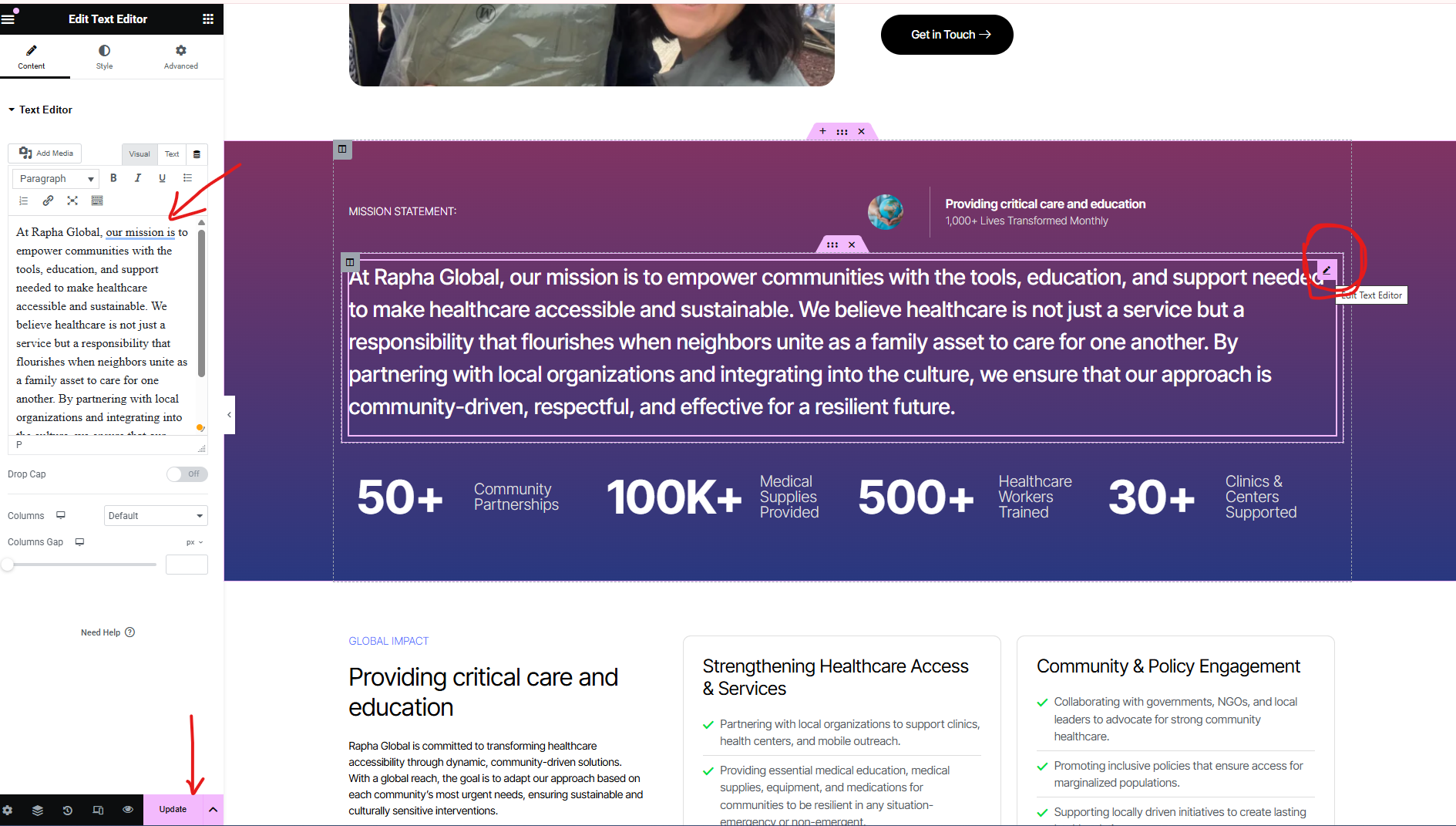
-> Step 5. To edit text, choose the text that you want to edit, click on the little pen icon, change the text on the left, and then click "Update"
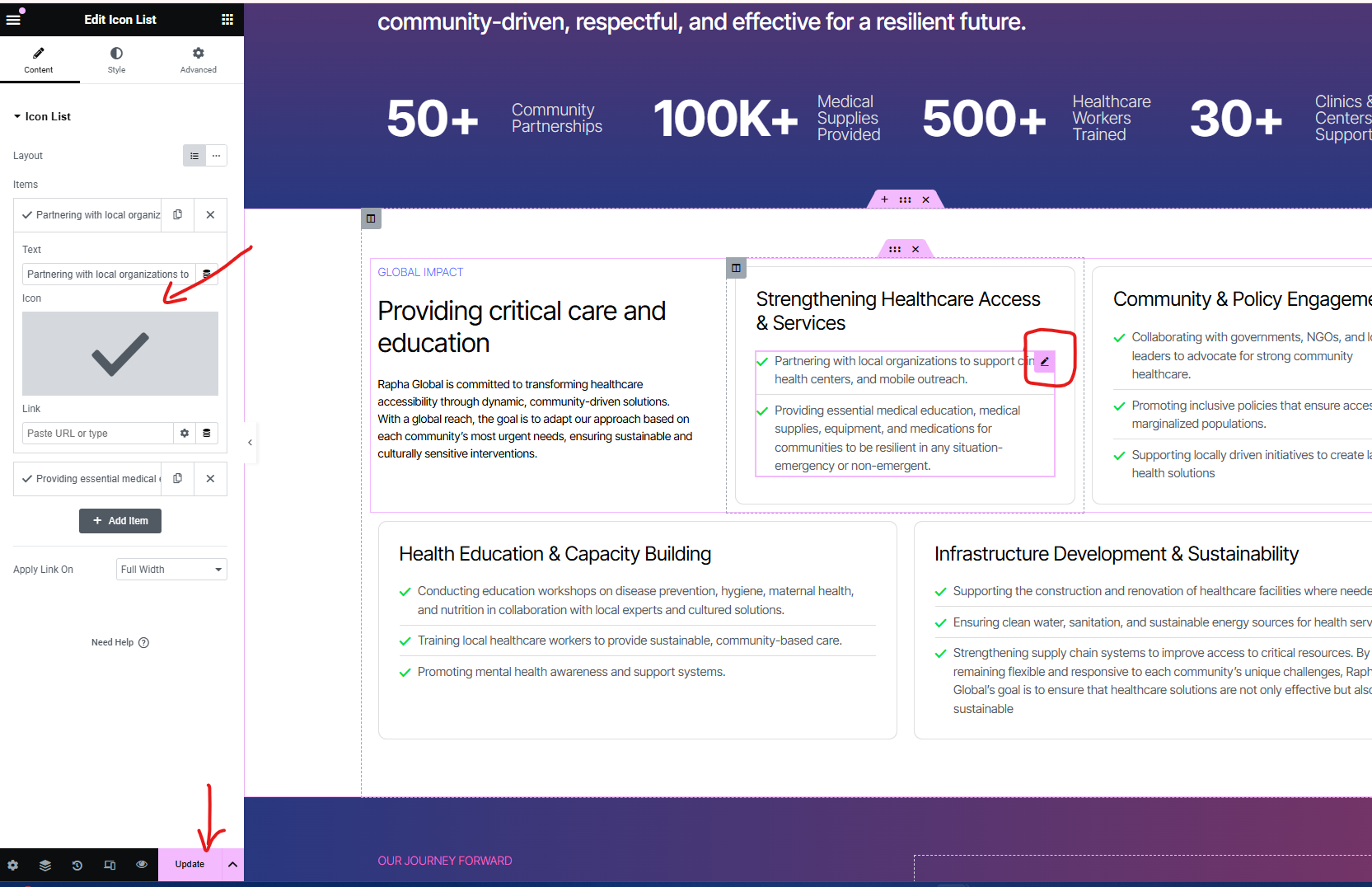
-> Step 6. To change the icon list, click on the pen icon, edit the icons on the left, and click "Update"
-> Step 7. How to edit titles
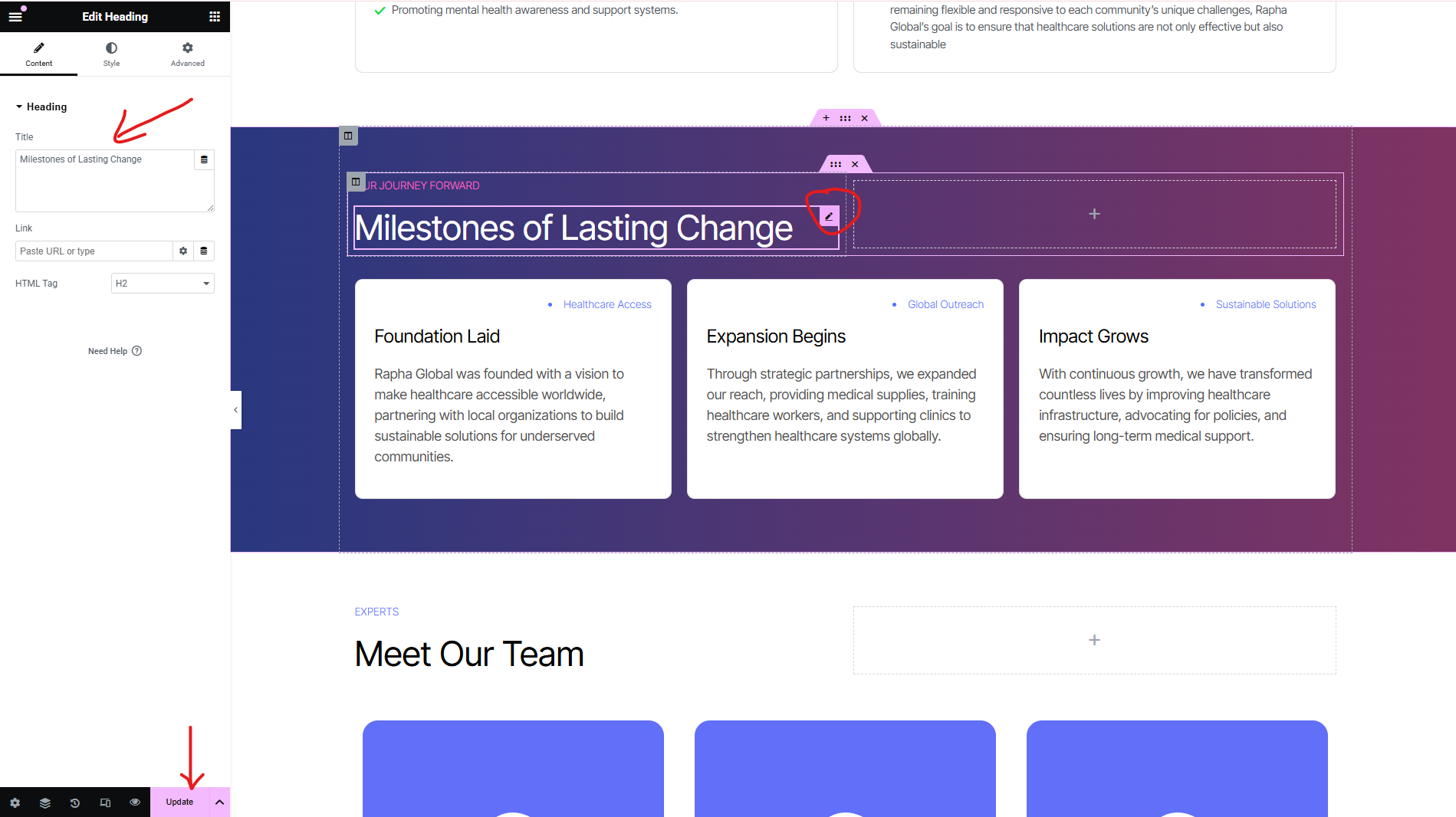
-> Step 8. How to edit images
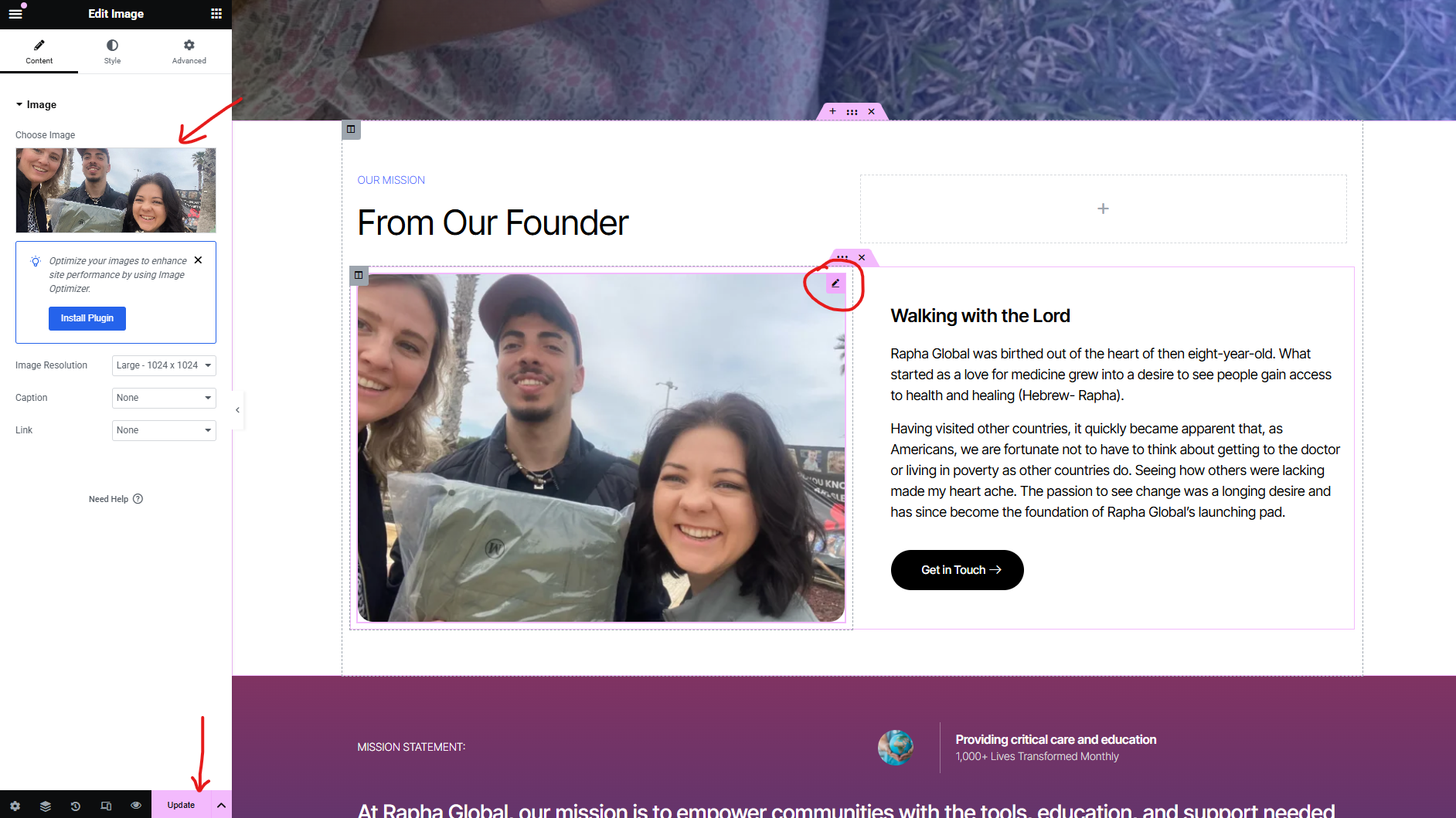

-> Step 9. How to edit the form fields

-> Step 10. How to edit buttons

-> Step 11. How to edit Header
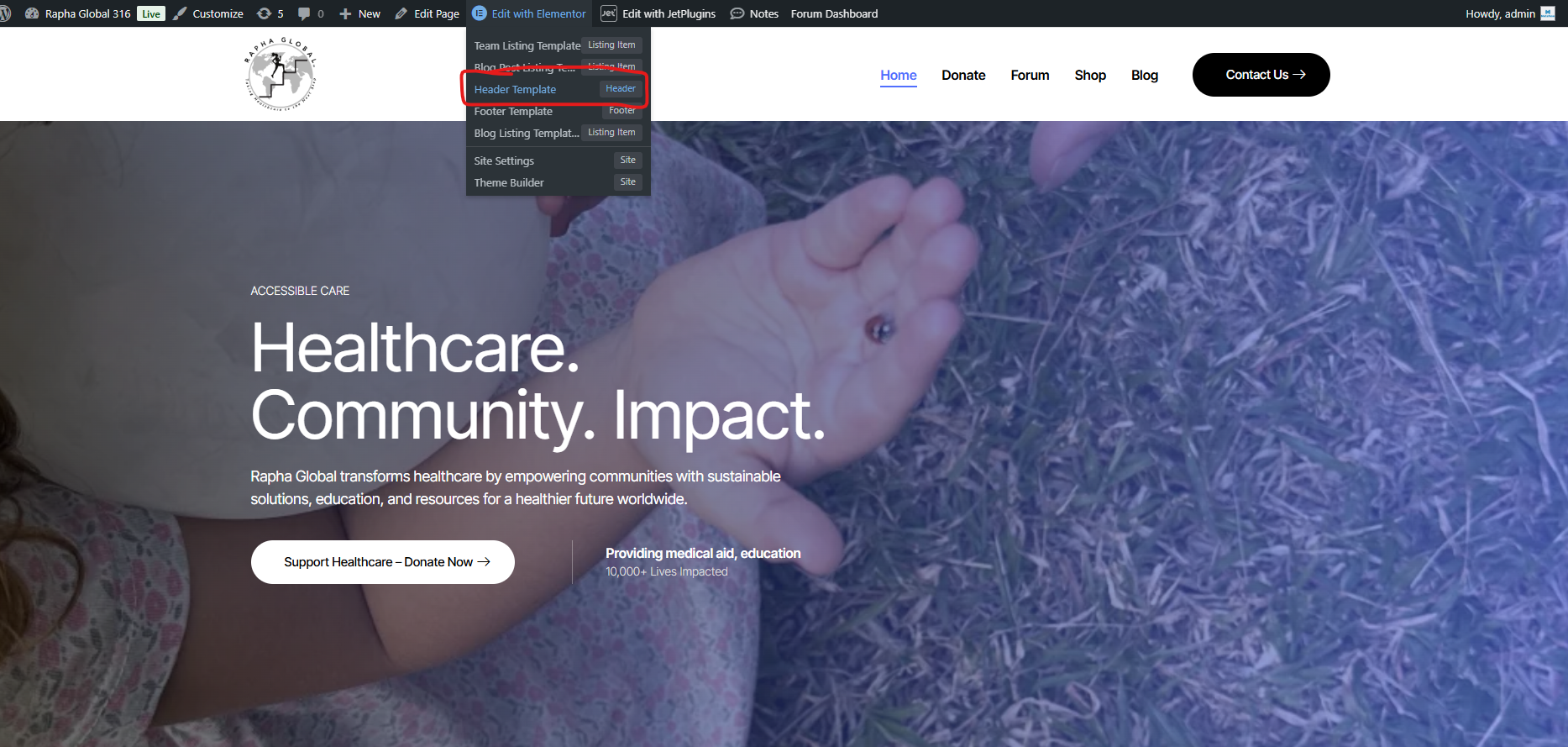
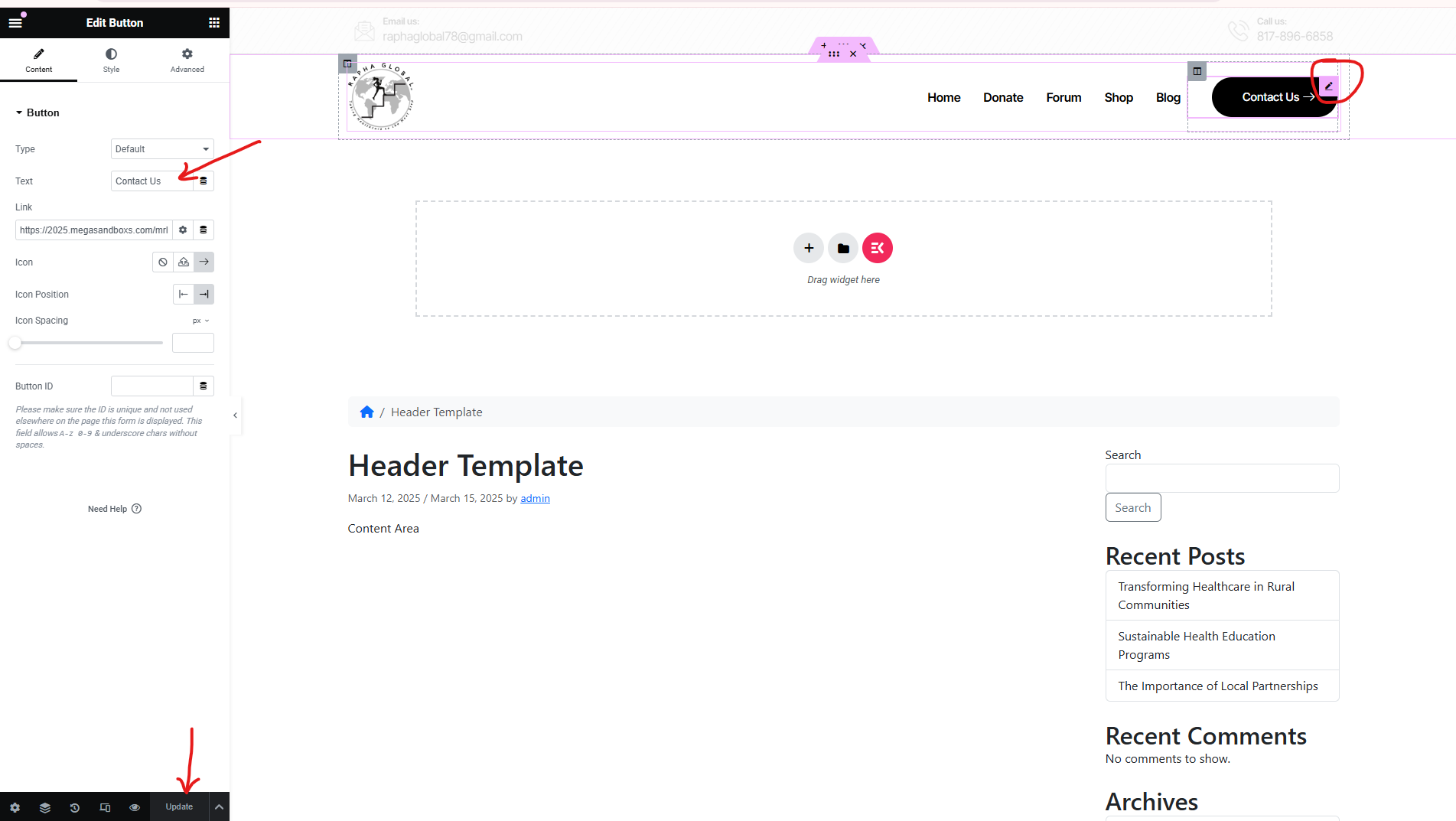
How to edit the logo:

-> Step 12. How to edit Footer


-> Step 2. Go to "Visit site"
-> Step 3. Click on "Edit with Elementor"
-> Step 4. To edit Headings, click on the little pen icon, change the text on the left, and then click "Update"
-> Step 5. To edit text, choose the text that you want to edit, click on the little pen icon, change the text on the left, and then click "Update"
-> Step 6. To change the icon list, click on the pen icon, edit the icons on the left, and click "Update"
-> Step 7. How to edit titles
-> Step 8. How to edit images
-> Step 9. How to edit the form fields
-> Step 10. How to edit buttons
-> Step 11. How to edit Header
How to edit the logo:
-> Step 12. How to edit Footer